

Every customer called. Every callback kept.
Upload the Excel sheet of leads or customers, split it between your calling agents, and let each one work their own queue — outcome, note and next-call time on every call. Managers see who called whom, what was said, and who converted.
From a spreadsheet of numbers to a calling operation.
Import any list
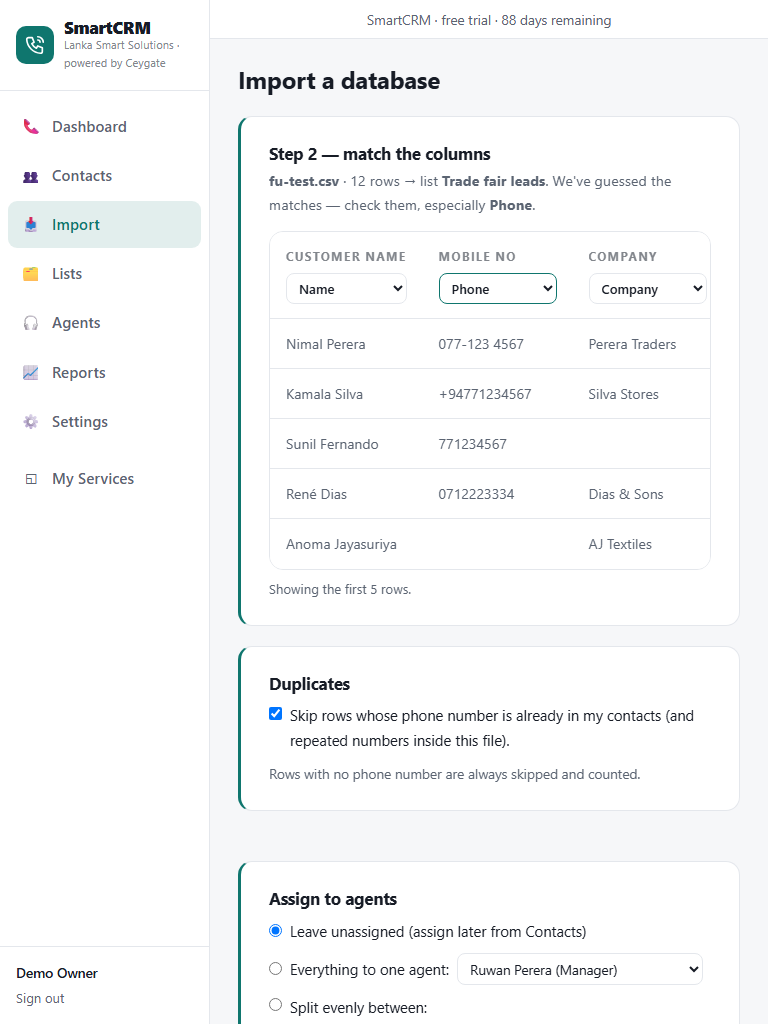
CSV or Excel — match the columns once, phone numbers tidy themselves, duplicates are skipped. Extra columns stay with the contact.
Agent logins
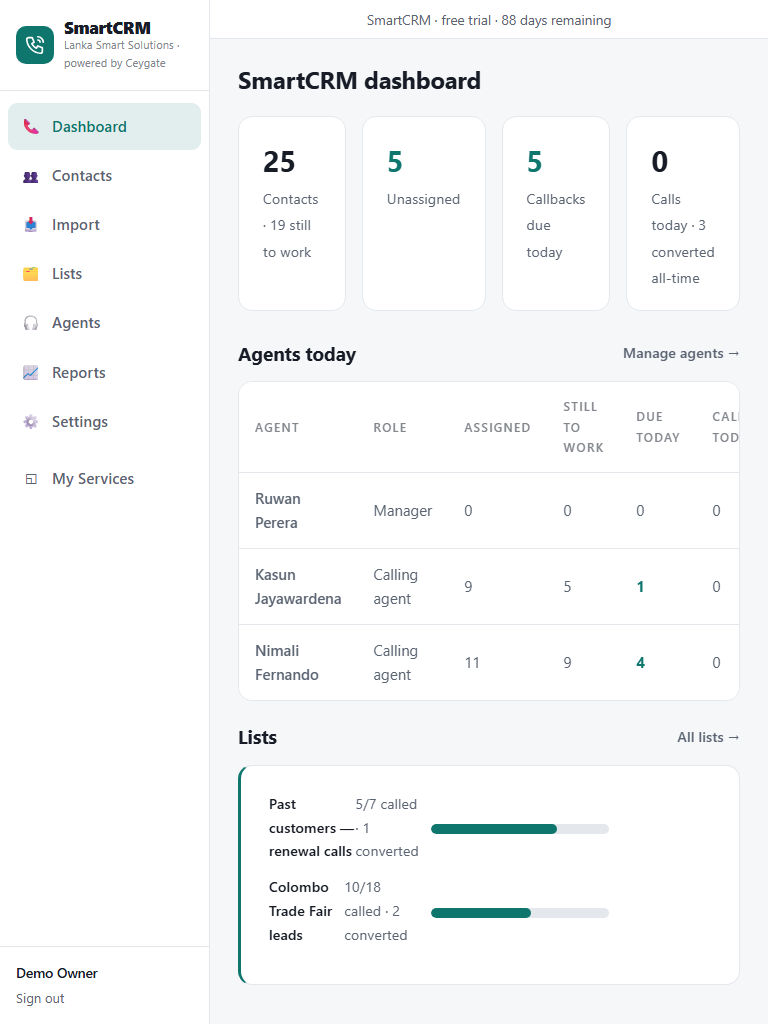
Each calling agent signs in with their own username and sees only the contacts assigned to them. Managers see everything.
One agent or split evenly
Hand a whole list to one agent, or tick several and it's shared out round-robin. Reassign in bulk any time.
The calling queue
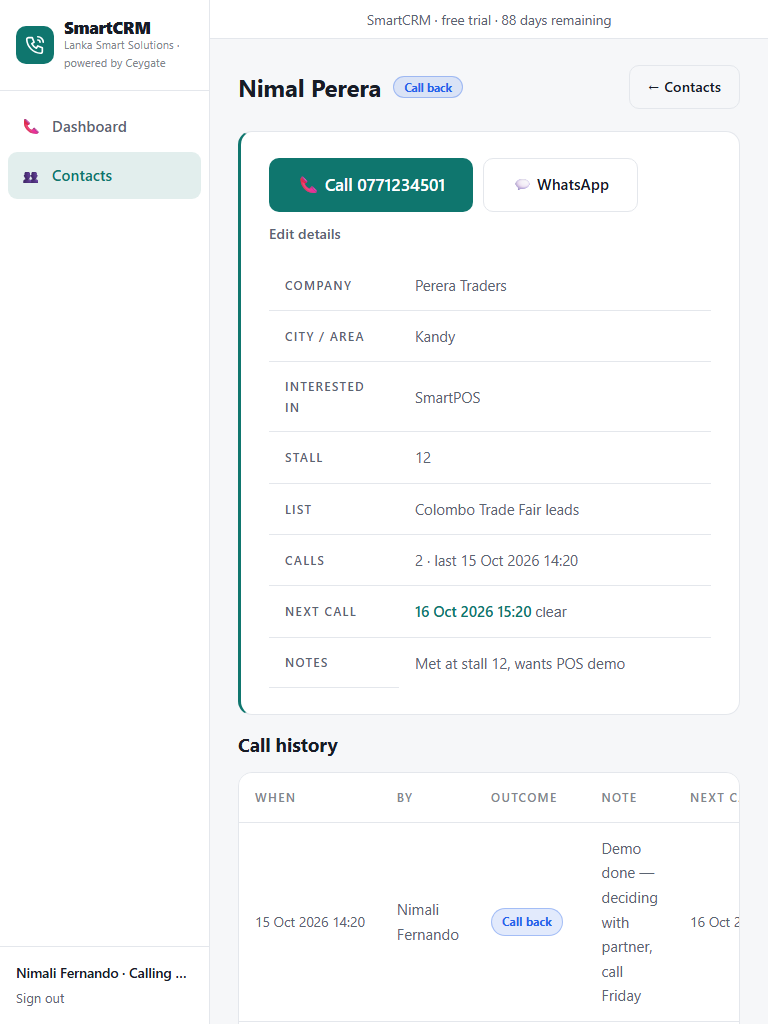
Overdue callbacks first, then fresh numbers, then the longest-untouched — agents just press "Next" and call.
Outcome + next call
No answer, call back, interested, converted — your own outcomes. A callback needs a time, and it comes back into the queue when due.
Who did what
Calls per agent per day, outcome breakdown, list-by-list conversion — and the full call history on every contact.
for your first 3 months — full access, every feature, no card required. Early-access pricing will be announced before your trial ends, and early users get the best rate.
Create Your Free AccountFair questions, straight answers
Can agents see the whole database?
No — a calling agent sees only the contacts assigned to them. Only you and your managers see every list, every agent and the reports.
Does it dial the number?
On a phone, tapping the number opens the dialer; there is also a one-tap WhatsApp opener. Calls go through the agent's own phone or line.
What file formats can I import?
CSV and Excel .xlsx, up to 20,000 rows at a time. Older .xls files just need saving as .xlsx first.
Can I use it for collections or customer care, not sales?
Yes — rename the outcomes to suit (e.g. "Promised to pay", "Resolved") and the queue, callbacks and reports work the same way.
More Ceygate apps
SmartPOS
Point of sale for shops — sell, track stock, print receipts and see your numbers.
Learn more →SmartBill
Create and track invoices, quotations and receipts — saved, numbered, PDF and WhatsApp ready.
Learn more →SmartPay
Monthly salaries with EPF, ETF and APIT calculated automatically — payslips included.
Learn more →